AI Auth · in Professional and Enterprise
Sign-in and permissions for AI agents.
Give each agent its own identity, limit what it can do, and put a person in the loop for the actions that matter. Built on OAuth and other published standards, with an AuthFI extension only where no standard exists.
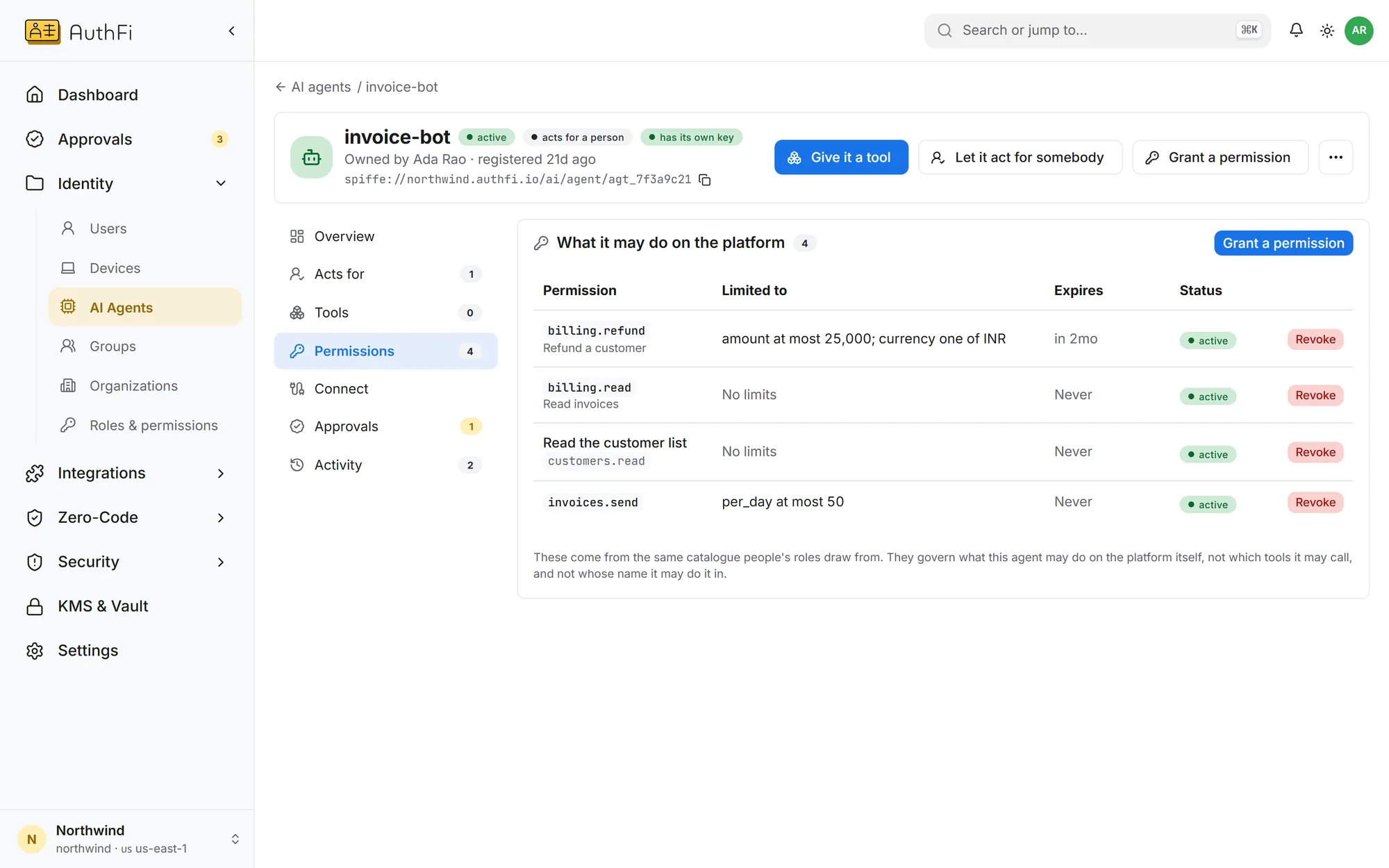
What this agent may do, with limits
Each permission can carry a limit in plain words: an amount, an allowed list, an end date. AuthFI checks the limits, not the agent.
Give every AI agent
a boundary
A prompt injection, a bug or a stolen credential can turn an agent against you. Inside a boundary it can only reach what you granted. Nothing you did not grant can reach it either. The wall is the kernel of the machine it runs on, so the agent cannot argue with it.
Below the agent
The rules run as eBPF programs in the Linux kernel. The agent’s code, its model and its prompt all run above them and cannot edit them.
Nothing to cooperate with
No SDK in the agent, no instruction in the prompt, no guardrail the model has to respect. The agent does not need to know the rule exists.
It works both ways
The wall faces outward too. A person, a service or another agent that was not granted is refused before the request reaches the agent.
Refused before it happens
A connection that was not granted never leaves the machine. It is stopped, then recorded. It is not noticed afterwards in a log.
Nine things a rogue agent tries, and what stops each one
When it signs in
Before it can do anything, it has to be itself.
Pretend to be another agent
Stopped by its own keyEvery agent proves itself with a key only it holds. There is no shared secret to copy, so it cannot sign in as anything else.
Keep working after its job is done
Stopped by short-lived tokensA token lasts 15 minutes and names what it is for. A token for one sensitive action lasts 60 seconds and is tied to that action’s exact details.
When it acts
Every call is checked against what was granted.
Do more than it was allowed
Stopped by limits on permissionsA permission carries its limit: a highest amount, an allowed list, a fixed value. AuthFI checks the limit on every call, not the agent.
Do more than the person agreed to
Stopped by delegationAn agent acting for someone gets only what that person approved, and never more than the agent itself was granted.
Take a risky action by itself
Stopped by a named personActions marked as sensitive wait for the agent’s owner, or the group that answers for it. A request nobody answers lapses and is refused.
Call a tool nobody granted
Stopped by the tool gatewayEvery tool call passes the gateway and is checked with its arguments. A tool it was not granted is refused, and the tool’s credential never reaches the agent.
On the machine
Below its code, where it cannot reach.
Reach an address nobody granted
Stopped by the kernelOn a machine running Zero-Code, the kernel refuses the connection before it leaves. The cloud’s credential address is refused always, and no grant can open it. The agent cannot open a raw socket, read another process’s memory or load a kernel program.
Run something new and call out
Stopped by detectionRunning a program it has never run, looking up a new name and trying to reach it is recognised as a sequence and raised as a finding.
When you decide
One switch, and it is over.
Carry on after it is caught
Stopped by the off switchRevoke it once. No new token is issued, the tool gateway refuses its next call, and every node is sent the revocation so a token it still holds is refused there too.
Every one of these refusals is written to the record with the layer that refused it, so afterwards you can see exactly what the agent tried.
AuthFI Agent Profile
Five steps from a registered agent to an approved action.
The AuthFI Agent Profile is a profile of open standards, not a new protocol: OAuth 2.0, OpenID CIBA and OpenID Shared Signals, with an AuthFI extension only where no standard exists.
Register
An admin registers the agent with its public key and a named owner. No secret is issued.
Sign in
The agent signs a short assertion with its own key. It is good once, for minutes.
Get a token
A 15-minute access token, signed by your project’s key, carrying only what it was granted.
Ask before acting
For one sensitive action it swaps that for a 60-second token naming the action.
A person decides
When policy asks for one, the named person approves. No answer is a refusal.
The standard behind each stepSix published standards, three AuthFI extensions
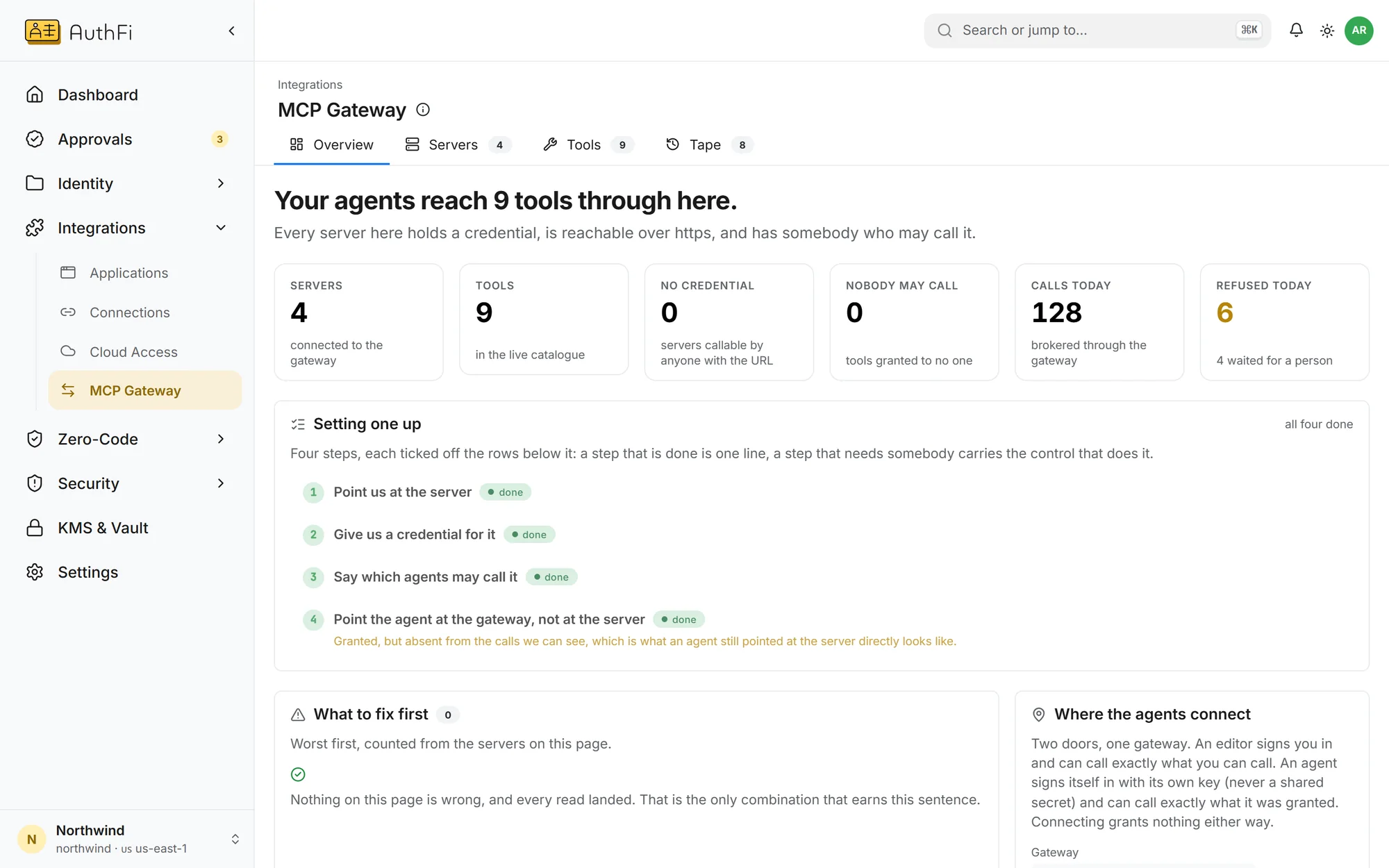
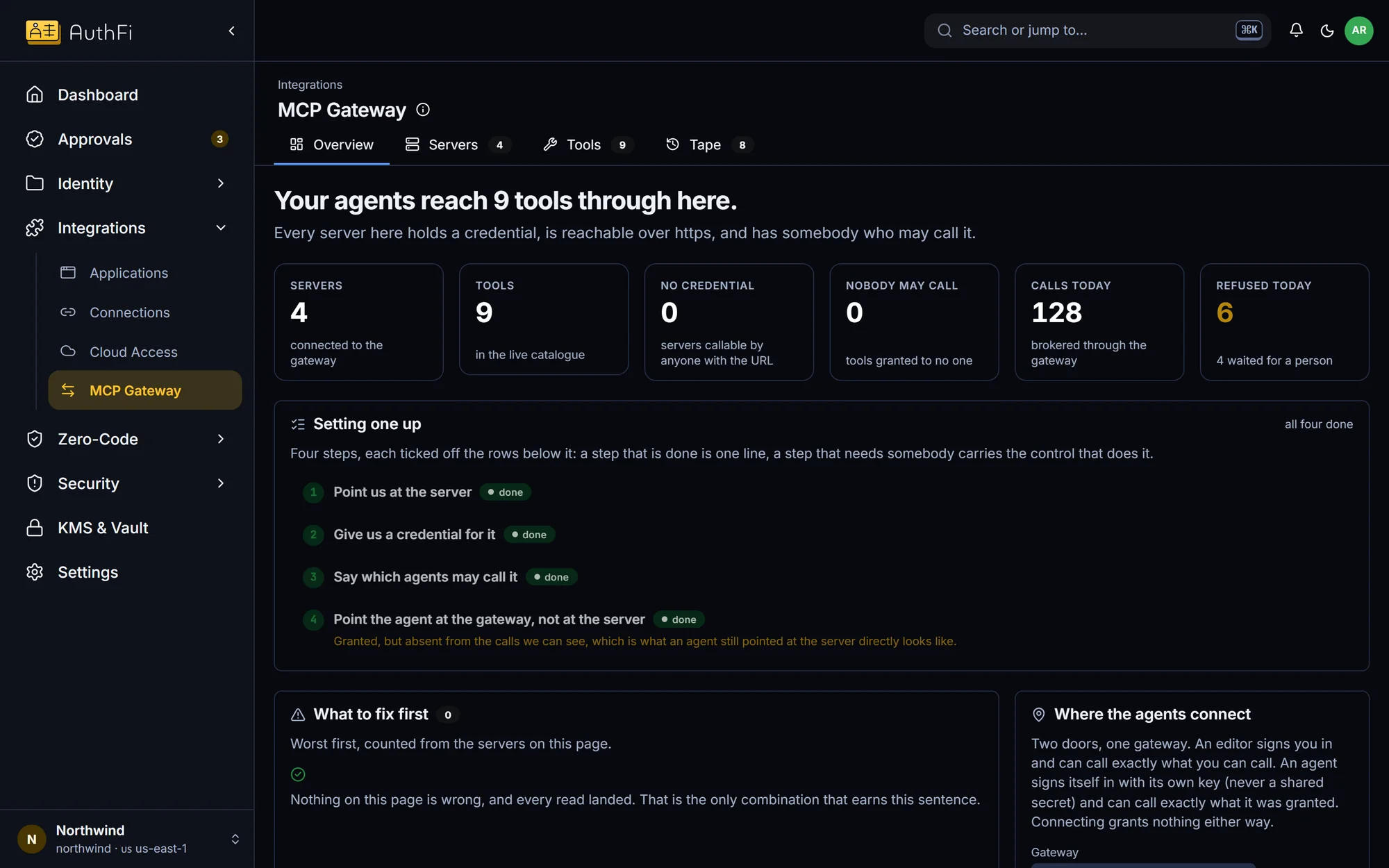
MCP gateway
One address for every tool your agents use.
Agents reach tools through AuthFI. Each call is checked with its arguments, and the tool’s own credential never leaves the gateway.
Refused unless granted, tool by tool
An agent acting for someone can do no more than they can
Risky calls wait for a person
Every verdict is recorded with its reason
Where each part standsSeven available, two in development
Agent identity with its own key
Permissions with limits
Approval by a named person
MCP gateway with per-tool grants
One-action tokens
Pushed revocation
Host-level boundary for agents
AI gateway for model calls
Agents registering themselves